Introduction: Navigating the Migration Landscape
For UK SMEs, the decision to migrate data or switch SaaS platforms is rarely driven by a desire for change; it is driven by necessity. Whether you are outgrowing your current infrastructure, facing spiralling licence costs, or struggling with integration limitations, the transition phase is often perceived as high-risk.
When dealing with sensitive datasets—especially those governed by UK GDPR—the fear of data loss or service downtime is a legitimate business concern. This guide aims to demystify the process. We focus on risk mitigation, data integrity, and regulatory compliance to ensure your transition is not just successful, but defensible to stakeholders and regulators alike.
Transparency Disclosure: This guide may contain affiliate links to third-party migration tools. We only recommend software that has been vetted for UK GDPR compliance and robust API reliability.
Why Companies Switch: Triggers and Limitations
Most UK SMEs initiate a switch when the "technical debt" of their current solution begins to outweigh the operational benefits. Common triggers include:
- Feature Limitations: The current platform fails to support modern workflows or lacks essential automation.
- Cost Scaling: Pricing models that penalise growth, making the current tool prohibitively expensive at scale.
- Support Failures: Inadequate UK-based support or poor response times during critical system outages.
- Integration Gaps: Inability to sync with your existing CRM, accounting software (like Xero or Sage), or cloud storage.
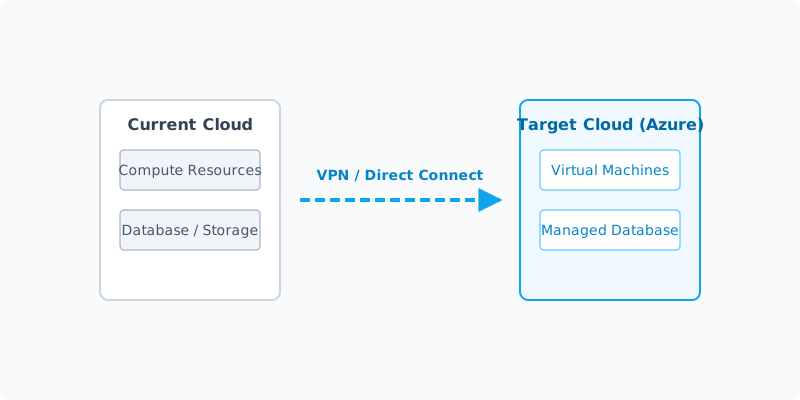
While switching offers the opportunity to optimise efficiency, it is vital to recognise that no migration is without friction. The goal is to move from a "legacy" state to a "future-proof" state with minimal disruption to your daily operations.
Migration Risk Assessment
High-risk migrations require a structured approach to contingency planning. Before moving a single byte of data, assess the following:
| Risk Factor | Impact | Mitigation Strategy |
|---|---|---|
| Data Loss | Severe | Perform a dual-backup verify process before migration. |
| Downtime | High | Schedule transitions during off-peak hours (e.g., weekend). |
| Cost Overruns | Moderate | Allocate a 20% contingency budget for unforeseen API fees. |
| Integration Failure | High | Conduct a sandbox test to verify API handshake stability. |
The primary threat is "data corruption," where field mappings between the old and new systems do not align. For example, a "Date of Birth" field in your legacy system might be formatted as DD/MM/YYYY, while the new system requires ISO 8601 (YYYY-MM-DD). If not corrected, this data becomes unusable.
Pre-Migration Checklist
Never start a migration without a clean audit. Use this checklist to ensure your "Golden Copy" is ready for transfer.
- Data Audit: Identify what data is actually necessary. Do not migrate "digital hoarding" (outdated, irrelevant records).
- Golden Copy Backup: Create a full export (CSV, JSON, or SQL) of your current database and store it in an encrypted, offline location.
- Field Mapping Map: Create a spreadsheet documenting every field in your current system and its corresponding destination in the new system.
- Stakeholder Briefing: Ensure your team knows the "read-only" window during the migration to prevent data collisions.
- Account Preparation: Ensure the new platform's licence is active and API keys are generated.
Step-by-Step Migration Process
Phase 1: Pilot
Select a small, non-critical subset of data (e.g., 5-10% of records) to test the migration pipeline. This reveals mapping errors before you commit your entire database.
Phase 2: Parallel Running
If possible, run both systems concurrently for one week. This allows you to verify that the new system is behaving as expected without the pressure of a "go-live" deadline.
Phase 3: Full Migration
Execute the full data transfer. This should happen during a scheduled maintenance window. Once the transfer is complete, perform a checksum analysis to ensure the record count in the new system matches the old.
Phase 4: Post-Migration
Once the new system is live, monitor it for 48 hours. Keep your old system in a "read-only" state for at least 30 days. This is your insurance policy should you discover a critical data gap later.
Common Pitfalls & How to Avoid Them
- The "Big Bang" Approach: Attempting to move everything in one go often leads to catastrophic failure. Use a phased, iterative approach.
- Ignoring Metadata: Sometimes, the most important data is not the record itself, but the timestamps and associations. Ensure your migration tool supports full metadata transfer.
- Lack of Internal Training: Even the best software will fail if your team does not know how to use it. Invest in training before the migration, not after.
UK GDPR Considerations
When switching, you remain a "Data Controller" under UK GDPR. You must ensure:
- Data Residency: If the new provider stores data outside the UK/EEA, ensure there is an adequacy agreement or Standard Contractual Clauses (SCCs) in place.
- Data Processing Agreements (DPA): You must have a signed DPA with your new provider. If they don't offer one, they are likely not compliant.
- Right to Erasure: Ensure your new system has a clear mechanism to delete user data upon request, as required by law.
Cost Breakdown
A common mistake is budgeting only for the monthly subscription fee. Be prepared for:
- Direct Costs: New platform licence, migration tool fees, and data storage upgrades.
- Hidden Costs: Developer time for custom API integrations, staff training hours, and potential downtime losses.
- Cancellation Costs: Many SaaS providers charge "exit fees" or require a notice period (often 30-90 days). Factor this into your transition timeline.
When NOT to Switch
Sometimes, the risk of switching outweighs the benefit. Do not migrate if:
- You are currently in a high-growth phase where your team cannot afford even one day of productivity loss.
- The data you are moving is so fragmented that it would require more manual cleaning than the value it provides.
- Your current provider has announced a major feature update that resolves your primary pain points.
FAQ
Q: How long does a typical migration take? A: For an average SME, a full migration takes between 2 to 6 weeks, including audit, testing, and full cutover.
Q: What if the data doesn't map correctly? A: This is why you run a pilot. If you hit a wall, consult with a data specialist or the new platform's support team before attempting a full transfer.
Q: Is it safe to use automated migration services? A: Automated tools are excellent for standard platforms (e.g., moving from Salesforce to HubSpot), but they should always be verified with a manual data audit.
Next Steps
- Inventory your data: Start your audit today.
- Review your current contract: Look for notice periods and data export clauses.
- Consult a professional: If you have more than 10,000 records, consider hiring a specialist migration consultant to oversee the process.
Migration is a major business event, but with a risk-first mindset, it is entirely manageable. Start small, verify everything, and keep your data secure.