1. Introduction: Navigating Your Email Marketing Transition
Switching your email marketing platform is a significant operational move for any UK SME. Moving from Campaign Monitor to Mailchimp is a well-trodden path, often driven by the need for deeper integration ecosystems or more advanced automation workflows. While the transition is technically straightforward, the primary concern for business owners is the integrity of their customer data.
At TrustSwitch, we recognise that your email list is one of your most valuable digital assets. This guide provides a vendor-neutral, risk-aware framework to ensure you retain your subscriber history, engagement metrics, and consent logs throughout the move. We prioritise transparency and practical safety measures to give you full confidence in your migration.
Disclosure: TrustSwitch may earn a commission from affiliate links if you choose to sign up for new software through our recommendations, but our editorial process remains strictly independent and focused on your business outcomes.
2. Why Companies Switch: Triggers and Limitations
Companies typically initiate a switch from Campaign Monitor to Mailchimp when their internal marketing maturity outgrows their current toolset. Understanding these triggers helps you ensure the move is strategic rather than reactionary.
Common Triggers
- Ecosystem Integration: Mailchimp offers a broader range of native integrations with UK-specific accounting software and e-commerce platforms like Shopify or WooCommerce.
- Automation Complexity: As your customer journey becomes more sophisticated, you may find Mailchimp’s ‘Customer Journey Builder’ offers more granular logic than standard list-based triggers.
- Consolidation: Many SMEs look to move email, landing pages, and social media scheduling into a single ‘all-in-one’ platform to reduce their software stack overhead.
Advantages and Trade-offs
Mailchimp excels in its extensive template library and AI-driven content optimiser. However, Campaign Monitor is often praised for its simplicity and superior ‘drag-and-drop’ email designer. Before switching, ensure your team is prepared for the learning curve associated with Mailchimp’s interface.
3. Migration Risk Assessment
Moving email platforms is a ‘low-risk’ operation, provided it is managed systematically. The risks are manageable, but they must be acknowledged to be mitigated effectively.
| Risk Factor | Severity | Mitigation Strategy |
|---|---|---|
| Data Loss | Medium | Maintain a ‘Golden Copy’ backup in CSV format outside both platforms. |
| Downtime | Low | Use a parallel running period to ensure the new system is verified. |
| Deliverability | Medium | Maintain your sender reputation by warming up your new IP address. |
| Cost Overlap | Low | Time the migration to occur at the end of your current billing cycle. |
Fear of data loss is the most common barrier. By following a structured extraction and validation process, you ensure that even if a technical glitch occurs, your subscriber records remain safe and importable.
4. Pre-Migration Checklist
Before you move a single contact, you must audit your current state. Do not treat this as a ‘lift and shift’ exercise; treat it as an opportunity to clean your data.
- The Audit: Identify inactive subscribers (those who haven't opened an email in 6+ months). Remove them before exporting.
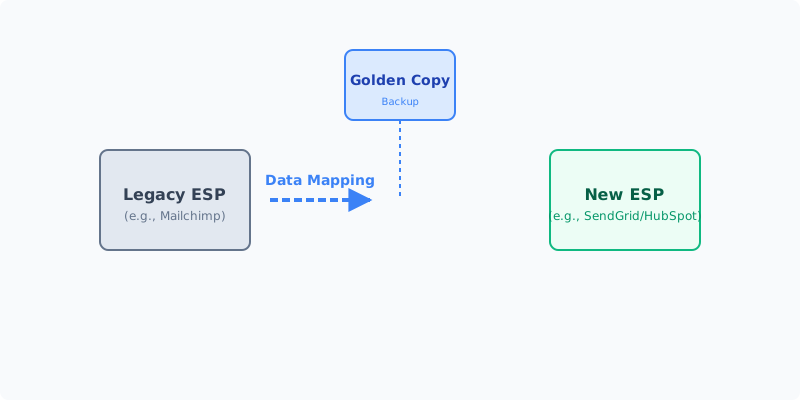
- The Golden Copy: Export all lists, segments, and suppression lists from Campaign Monitor into a secure, encrypted CSV file. Store this on your local server or secure cloud storage.
- Field Mapping: Map your custom fields (e.g., ‘Company Name’, ‘Last Purchase Date’) from Campaign Monitor to the corresponding fields in Mailchimp.
- Consent Check: Ensure your GDPR consent logs (proof of opt-in) are exported alongside your contact records.
5. Step-by-Step Migration Process
Phase 1: The Pilot
Migrate a small, non-critical segment (e.g., your internal team or a test list of 50 contacts). Test the sign-up forms, welcome emails, and data synchronisation.
Phase 2: Parallel Running
Keep both accounts active for 7–14 days. Send your primary campaigns through Campaign Monitor while setting up your automated journeys in Mailchimp. This allows you to verify that Mailchimp’s automation triggers behave as expected without risking your revenue-generating emails.
Phase 3: Full Migration
Once the pilot is successful, perform the full export/import. Ensure your suppression lists (unsubscribes and bounces) are imported first to Mailchimp to prevent accidental emailing of individuals who have previously opted out.
Phase 4: Post-Migration
Once the transition is complete, keep your Campaign Monitor account active for 30 days in ‘read-only’ mode. This provides a safety net should you discover a missing piece of data or a historical report you need to reference.
6. Common Pitfalls & How to Avoid Them
- Ignoring Suppression Lists: Importing unsubscribed users to a new platform is a major GDPR compliance risk. Always import your ‘Unsubscribe’ list first.
- Losing History: You cannot ‘migrate’ campaign performance history (open rates/click rates) from one platform to another. Export these as reports to PDF/CSV for your long-term records.
- Broken Links: If you use landing pages hosted within Campaign Monitor, these will break upon cancellation. Ensure all links are redirected or updated to new Mailchimp-hosted pages.
7. UK GDPR Considerations
As a UK-based business, you must ensure your migration complies with the UK GDPR and the Data Protection Act 2018.
- Data Residency: Mailchimp offers data hosting options that align with international transfer requirements. Ensure your account settings are configured to store data in the appropriate region.
- Data Processing Agreement (DPA): Ensure you sign the updated DPA within your Mailchimp account settings. This is a legal requirement for your record-keeping.
- Rights of the Data Subject: If a user requests their data to be deleted, you must ensure your new system is capable of performing a ‘right to be forgotten’ erasure across all segments.
8. Cost Breakdown
- Direct Costs: Mailchimp’s pricing is based on contact volume. Review your current list size against Mailchimp’s tiers to avoid unexpected monthly spikes.
- Hidden Costs: Time spent by your internal team on data cleaning and template recreation.
- Cancellation Costs: Check your Campaign Monitor contract for notice periods. Many SaaS providers require 30 days' notice; avoid paying for two full subscriptions by timing your cancellation carefully.
9. When NOT to Switch
Sometimes, the best migration is the one you don't perform. Do not switch if:
- You are currently in the middle of a high-volume seasonal campaign (e.g., Black Friday).
- Your team lacks the capacity to undergo training on the new platform.
- Your primary reason for switching is a minor UI preference rather than a functional requirement.
10. FAQ
Q: Will I lose my open rates? A: You will lose the live data in your dashboard, but you can export historical reports to CSV before closing your account.
Q: Is it hard to move automated workflows? A: Yes, these cannot be exported. You will need to manually rebuild your automation logic within Mailchimp.
Q: What happens to my old links? A: Links hosted on Campaign Monitor’s servers will stop working once your account is cancelled. Update all links in your website footer and social media bios.
11. Next Steps
- Download the Audit Template: Create a spreadsheet to track your lists, segments, and forms.
- Schedule the ‘Golden Copy’ Export: Set a date for your full data backup.
- Contact Support: If you have over 50,000 subscribers, reach out to Mailchimp’s sales team; they often provide dedicated migration support for larger UK SMEs.
For further guidance on navigating your technology stack, explore our other TrustSwitch guides on CRM integration and marketing automation best practices.