Decoding SaaS Reviews: A Buyer's Framework for G2, Capterra, and Trustpilot
When evaluating B2B software—whether it's a £50/month CRM or a £50,000 enterprise ERP—peer reviews are often the first port of call. However, the B2B review ecosystem is vastly different from consumer platforms like Amazon or TripAdvisor.
Software vendors invest heavily in "review generation campaigns," offering Amazon gift cards or software discounts in exchange for 5-star ratings. Consequently, simply looking at a vendor's average star rating is a fundamentally flawed way to make a purchasing decision.
This guide provides a systematic framework for navigating G2, Capterra, and Trustpilot. It will teach you how to filter out incentivised noise, identify genuine user pain points, and cross-reference data to ensure you don't migrate your business to a platform that over-promises and under-delivers.
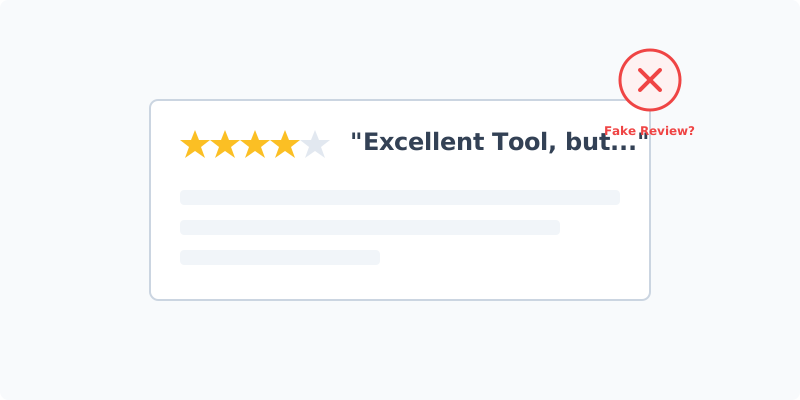
Key Takeaways
- Platform Bias: G2 and Capterra cater to B2B software buyers, while Trustpilot is primarily B2C but often used as a venting ground for B2B billing disputes.
- Ignore the Stars: The 5-star rating is a marketing metric. The real value lies in the 3-star reviews and the "Dislikes" section.
- Incentivised Reviews: Learn to spot the "gift card review," which is typically short, vague, and lacks technical specificity.
- The Integration Test: Use reviews to specifically search for complaints about API limitations and broken integrations, as these are rarely covered in sales demos.
Table of Contents
- Understanding the Platforms: G2 vs Capterra vs Trustpilot
- How to Spot Fake or Incentivised Reviews
- The 4-Step Review Analysis Framework
- What to Ignore Completely
- Frequently Asked Questions
Understanding the Platforms: G2 vs Capterra vs Trustpilot
Each platform serves a different purpose and attracts different types of user feedback.
G2 (The Enterprise Standard)
G2 requires users to log in via LinkedIn, adding a layer of professional verification. It asks highly structured questions (e.g., "What do you like best?", "What do you dislike?", "Recommendations to others").
- Strengths: Excellent for identifying specific feature gaps and integration issues. The "G2 Grid" helps visualize market presence.
- Weaknesses: Heavily saturated with vendor-incentivised reviews (often marked with a small "Incentivized Review" badge).
Capterra (The Gartner Ecosystem)
Owned by Gartner, Capterra (alongside GetApp and SoftwareAdvice) is a massive lead generation engine.
- Strengths: Great for high-level feature comparison and finding alternative tools you hadn't considered.
- Weaknesses: Vendors pay for placement and clicks. The reviews tend to be slightly shorter and less technical than G2.
Trustpilot (The Venting Ground)
Trustpilot is consumer-focused but heavily used by small businesses to review B2B tools.
- Strengths: It is the best place to uncover hidden billing issues, auto-renewal traps, and poor customer service. When a B2B user goes out of their way to leave a Trustpilot review, they are usually very angry.
- Weaknesses: Terrible for evaluating specific software features or API capabilities.
How to Spot Fake or Incentivised Reviews
Software companies actively run campaigns offering £20 Amazon gift cards for reviews. While these aren't "fake" (a real user wrote it), they are heavily biased.
Red Flags of an Incentivised Review:
- Vague Praise: "Great tool, helps my team save time, highly recommend." (No specific features mentioned).
- The "Nothing" Dislike: When prompted for a negative, they write "Nothing so far!" or "I wish it had a dark mode."
- Timing Clusters: If a product receives 40 five-star reviews in a single week, and then nothing for a month, you are looking at the result of an email blast campaign, not organic user delight.
The 4-Step Review Analysis Framework
Do not read reviews chronologically. Use this targeted approach instead.
Step 1: Filter by 3-Star and 4-Star Reviews Only
Ignore 5-star reviews (too much marketing fluff) and 1-star reviews (often user error or isolated billing rage). The 3 and 4-star reviews are written by rational users who like the product but have encountered real, operational friction. This is where you find the truth.
Step 2: Search for "Support" and "Implementation"
Use the platform's search bar to find reviews mentioning "support," "onboarding," or "implementation." A great tool is useless if it takes six months to deploy. Look for patterns: Are users complaining about being handed off to a chatbot when they need urgent technical help?
Step 3: Search for Your Specific Tech Stack
If you use Salesforce and are evaluating a marketing tool, search the reviews for "Salesforce." You will quickly uncover if the integration is seamless or if it requires expensive middleware and constant babysitting.
Step 4: Check Trustpilot for Billing Red Flags
Finally, check Trustpilot. Search for terms like "auto-renew," "cancellation," and "hidden fees." Many SaaS contracts require 90 days written notice to cancel; Trustpilot will tell you if a vendor enforces this aggressively to trap customers.
What to Ignore Completely
- Average Star Ratings: A 4.8-star rating means nothing if it's based on 50 incentivised reviews. A 4.1-star rating based on 2,000 organic reviews is far more trustworthy.
- "Ease of Use" Scores: What is easy for a developer is impossible for a marketer, and vice versa. "Ease of use" is subjective and heavily dependent on the reviewer's technical background. Look for context on who is finding it easy.
Frequently Asked Questions
Are "Incentivized Reviews" allowed? Yes, G2 and Capterra allow them, provided the reviewer discloses that they received a reward. However, human nature dictates that if someone is giving you a gift card, you are more likely to leave a positive review.
Should I trust vendor-provided case studies? Case studies are marketing collateral. They are useful for understanding how a product can be used, but they will never disclose the friction involved in the implementation. Treat them as inspiration, not validation.
How many reviews should a product have? Volume matters. A product with 10 reviews is too new to judge reliably. Look for products with at least 50-100 reviews in the last 12 months, ensuring the feedback reflects the current state of the software, not an older version.