HMRC Making Tax Digital (MTD) Compliance When Switching Accounting Software
Switching accounting software is 100% permissible under HMRC Making Tax Digital (MTD) rules provided you maintain an unbroken "digital link" when transferring open VAT-period data (no manual re-typing or copy-pasting under VAT Notice 700/22) and preserve 6 years of digital VAT records. You do not need to notify HMRC before changing software: simply re-authorise your new cloud platform via Government Gateway after handover.
In this guide (6 sections)
Key Takeaways
Quick Summary- VAT Notice 700/22 digital link
- Automated extraction and structured CSV/API import count as compliant digital links; re-keying summary VAT totals by hand breaches MTD rules.
- Quarter-end vs mid-quarter
- Switching immediately after filing a quarterly VAT 100 is simplest, though mid-quarter switches are fully compliant when current-quarter lines migrate intact.
- Draft VAT 100 tie-out
- For mid-quarter moves, compare the draft VAT return in your old system against the draft VAT return in Xero/QBO to £0.00 before connecting HMRC.
- 6-year VAT record obligation
- HMRC requires VAT records to be kept digitally for 6 years (10 years for specific capital goods/One Stop Shop schemes).
- Cash vs Standard VAT check
- Confirm your VAT scheme (Accrual, Cash Accounting, or Flat Rate) matches identically in Xero or QBO before importing open invoices.
Does Switching Accounting Software Break HMRC Making Tax Digital Rules?
No: switching from Sage 50, QuickBooks Desktop, FreeAgent, or KashFlow to Xero or QuickBooks Online is completely compliant with HMRC Making Tax Digital (MTD) rules, provided open VAT-period data transfers via an unbroken digital link (without manual copy-pasting or re-typing)[1] and your 6-year historical VAT records remain accessible[2]. You do not need HMRC’s prior permission to change software; once your ledger handover is reconciled, you simply authorise your new cloud platform via Government Gateway.
Whether you are planning a Sage 50 to Xero or QuickBooks Desktop to QBO transition, following the statutory protocol below protects your VAT audit trail.
What Counts as a Valid "Digital Link" Under VAT Notice 700/22?
Under HMRC VAT Notice 700/22[1] and ICAEW technical guidance[3], once a sales or purchase transaction is recorded digitally, any onward transfer between software programs must occur electronically without manual transcription:
| Migration Transfer Method | HMRC MTD Compliance Status | Audit Explanation |
|---|---|---|
| Automated Backup Extraction & Cloud Import (TrustSwitch) | 100% Compliant Digital Link | Direct programmatic transfer from .001/.QBB into Xero/QBO with locked tax pennies[1] |
| Unmodified Software CSV / XML Export & Import | Compliant Digital Link (if unedited) | Permitted by HMRC provided figures are not manually altered or re-typed between systems |
| Reading a PDF VAT Report & Typing Totals Into New Software | Non-Compliant (Breaches Digital Link) | Manual re-keying of summary VAT figures breaks the digital audit trail[1] |
Copy-Pasting (Ctrl+C / Ctrl+V) Rows Across Unlinked Sheets | Non-Compliant (Breaches Digital Link) | Explicitly disallowed by VAT Notice 700/22 for live MTD VAT calculation chains |
Quarter-End vs Mid-Quarter VAT Cutovers: Exact Protocol
Option 1: Switching Immediately After Filing a VAT Quarter (Recommended)
Timing your weekend migration right after closing and submitting a quarterly VAT return is the cleanest route:
- Reconcile all bank accounts up to the final day of the VAT quarter in your outgoing software.
- Submit that quarter’s MTD VAT 100 return from your outgoing software as normal and save the HMRC submission receipt PDF into your Golden Copy backup.
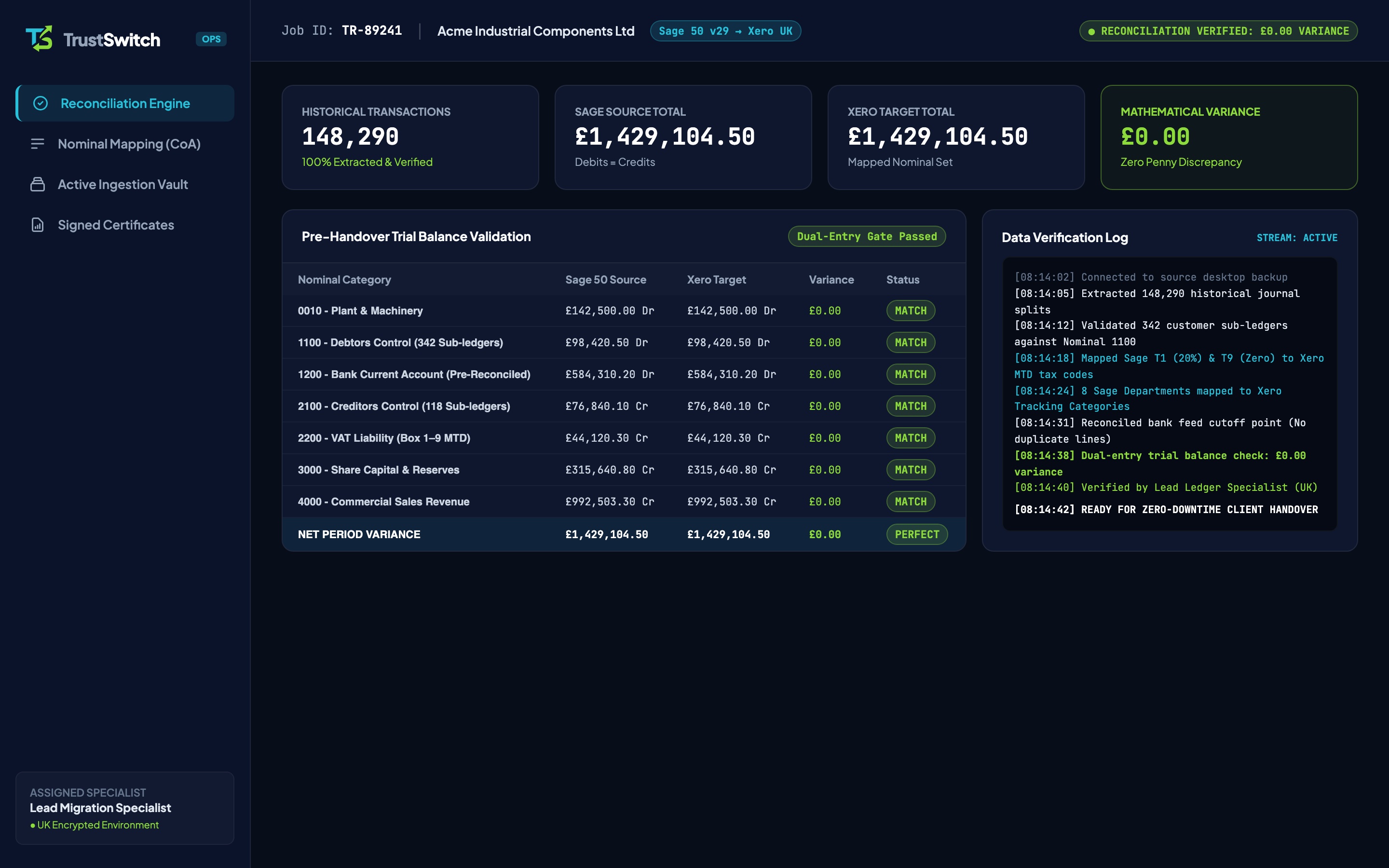
- Migrate your historical ledger into Xero or QuickBooks Online, verify £0.00 variance on your closing VAT Liability balance, and connect Xero/QBO to HMRC Government Gateway for the new quarter onwards.
Option 2: Switching Mid-Way Through an Open VAT Quarter
If an urgent renewal deadline or server failure forces a mid-quarter switch (for example, switching on 31 October inside a 1 October to 31 December VAT quarter), follow this four-point safeguard:
- Migrate Every Individual Open-Quarter Line: Never bring mid-quarter activity across as a single opening journal. Every October invoice, credit note, and bill must migrate individually with locked VAT amounts (see Mapping QuickBooks Tax Rates to Xero).
- Confirm Identical VAT Scheme Settings: Verify Standard (Accrual) vs Cash Accounting vs Flat Rate settings match identically before import.
- Tie Out Draft VAT Boxes 1 to 9: Run a draft VAT return for
1 Oct – 31 Octin your old software and compare Boxes 1 through 9 against the identical date-range draft VAT return in Xero/QBO. Both must match to £0.00. - Submit Once From the New System at Quarter-End: At 31 December, submit the full quarter’s return from Xero or QBO via Government Gateway.
Preserving Your 6-Year Statutory Digital VAT Archive
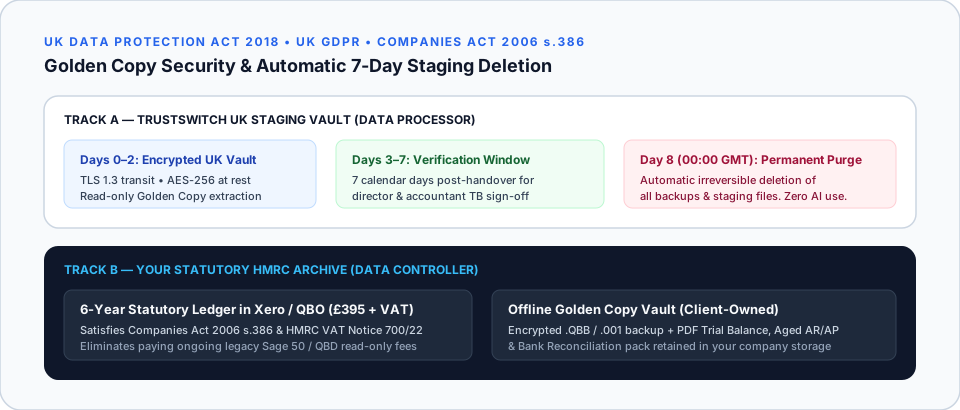
HMRC requires VAT-registered businesses to retain digital VAT records for at least 6 years[2] (and 10 years for specific One Stop Shop or Capital Goods Scheme assets). Migrating 3 to 6 full years via TrustSwitch’s £395 + VAT Statutory Archive (see full legal breakdown in UK Accounting Data Retention When Switching) keeps every historical invoice searchable inside Xero or QBO without paying ongoing legacy desktop subscriptions.
Frequently Asked Questions
Do I have to tell HMRC that we are switching from Sage 50 or QuickBooks to Xero?
What happens if we have to switch mid-way through a VAT quarter?
Does keeping old CSV files on a laptop satisfy MTD functional compatible software rules?
What about MTD for Income Tax (MTD for ITSA) from April 2026 onwards?
Move to Xero or QBO With Unbroken HMRC Digital Links
Our £395 + VAT Statutory Archive migrates 3 to 6 full years of VAT-verified ledger history so you remain audit-ready without keeping legacy software.