How Long Does a QuickBooks or Sage Migration Take? Real UK Cutover Timeline
A specialist-managed QuickBooks Desktop or Sage 50 migration takes 48 to 72 hours mid-week or a single Friday 5:00 PM to Monday 8:30 AM GMT weekend window with zero operational downtime. By contrast, unassisted DIY migrations routinely drag across two to three weeks because finance staff get trapped troubleshooting export limits, untangling VAT variances, and double-entering live invoices.
In this guide (8 sections)
Key Takeaways
Quick Summary- Standard turnaround
- 48–72 hours for mid-week handovers, or Friday 17:00 GMT upload to Monday 08:30 GMT go-live for scheduled weekend cutovers.
- Zero dual-entry needed
- Because your complete historical ledger and open AR/AP invoices arrive reconciled on Monday morning, you never have to double-key transactions across two systems.
- Best calendar timing
- Month-end or VAT quarter-end is cleanest, though mid-quarter weekend switches work cleanly when draft VAT 100 figures are tied out.
- Monday morning effort
- Your team spends roughly 30 minutes authenticating Open Banking feeds from the cutover date, adding your invoice logo, and inviting staff.
- Specialist SLA
- Dedicated UK ledger specialist responses within < 2 hours during UK business hours (Mon–Fri, 08:00–18:00 GMT).
How Long Will Your Finance Team Be Locked Out During a Switch?
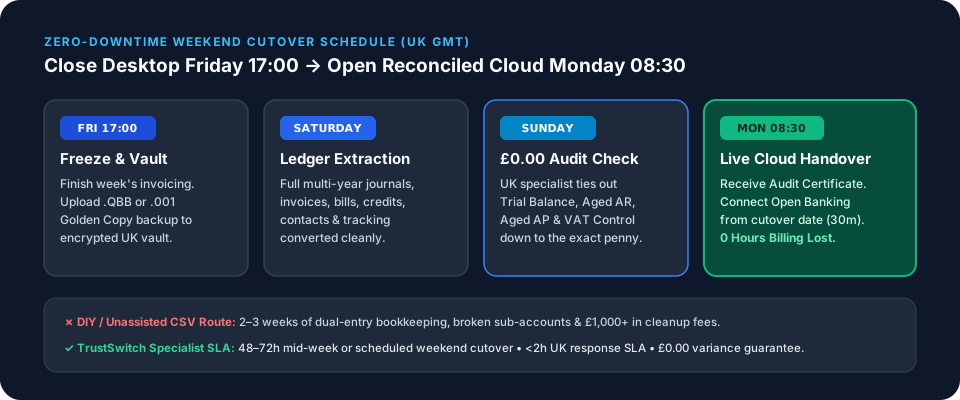
Zero business hours when scheduled as a weekend cutover, or 48 to 72 hours for a standard mid-week turnaround. With a specialist-managed migration from QuickBooks Desktop or Sage 50 into QuickBooks Online or Xero, your bookkeeping team closes the week as normal at Friday 17:00 GMT and logs into a reconciled cloud ledger at Monday 08:30 GMT with £0.00 Trial Balance discrepancy.
By contrast, internal DIY migrations typically consume two to three weeks of disrupted billing because staff get caught repairing export errors, re-mapping VAT codes, and double-entering transactions across two systems simultaneously.
Side-by-Side Comparison: DIY Switch vs TrustSwitch Weekend Cutover
| Stage | Unassisted DIY / CSV Switch (2–3 Weeks) | TrustSwitch Managed Weekend Cutover (63 Hours Elapsed, 0 Business Hours Lost) |
|---|---|---|
| Pre-Cutover Prep | 3–5 days cleaning lists, testing .IIF exports, or condensing data | 15-minute onboarding + pre-flight check while you carry on working |
| Data Extraction | Repeated timeouts above 350k targets or 60+ manual CSV files | Friday 17:00 GMT: Upload single .QBB or .001 Golden Copy backup |
| Ledger Import | Days fixing broken sub-accounts, VAT rates & unlinked payments | Saturday: Full multi-year invoices, bills, credits, contacts & tracking imported |
| Reconciliation QA | Week 2–3 spent hunting £1,000s in opening suspense variances | Sunday: UK specialist verifies Trial Balance, AR, AP & VAT to £0.00 variance |
| Go-Live Handover | Stressful dual-entry across old and new software | Monday 08:30 GMT: Signed Audit Certificate delivered; live invoicing resumes |
| Bank Feed Setup | Risk of 90-day duplicate imports if connected too early | Monday 08:30–09:00 GMT: 20-minute Open Banking MFA from cutover date[2] |
Hour-by-Hour Walkthrough of a Zero-Downtime Weekend Switch
1. Wednesday / Thursday Prior (15 Minutes)
Book your slot via QuickBooks Desktop to QBO, QuickBooks Desktop to Xero, or Sage 50 to Xero. Confirm your target cloud subscription tier is active, do not connect live bank feeds yet, and invite support@trustswitch.co.uk as temporary migration user.
2. Friday 17:00 GMT: Ledger Freeze & Backup Upload
Finish your normal Friday invoicing, payment runs, and bank reconciliations. Switch your desktop software to Single-User Mode, export your five benchmark PDF reports (Trial Balance, P&L, Balance Sheet, Aged Debtors, Aged Creditors), and upload your .QBB or .001 backup to our encrypted UK portal. Your team goes home for the weekend.
3. Saturday: Automated Extraction & Account Mapping
Our conversion workflow extracts every historical transaction across your selected tier (up to 2 years, 3–6 statutory years, or 7–10+ inception years), maps your Chart of Accounts and departmental tracking, and locks historical UK VAT amounts so HMRC digital links remain unbroken under VAT Notice 700/22[1].
4. Sunday: Human Specialist £0.00 Trial Balance Verification
Before any handover notification is issued, your assigned UK ledger specialist compares your closing source reports against your new cloud reports penny-for-penny:
- Trial Balance: £0.00 debit/credit variance as of Friday 17:00 GMT.
- Aged Debtors & Aged Creditors: Open customer invoices and supplier bills match Balance Sheet control accounts.
- VAT Control Account: Historical VAT liability matches your filed HMRC returns.
5. Monday 08:30 GMT: Handover & 30-Minute Final Checklist
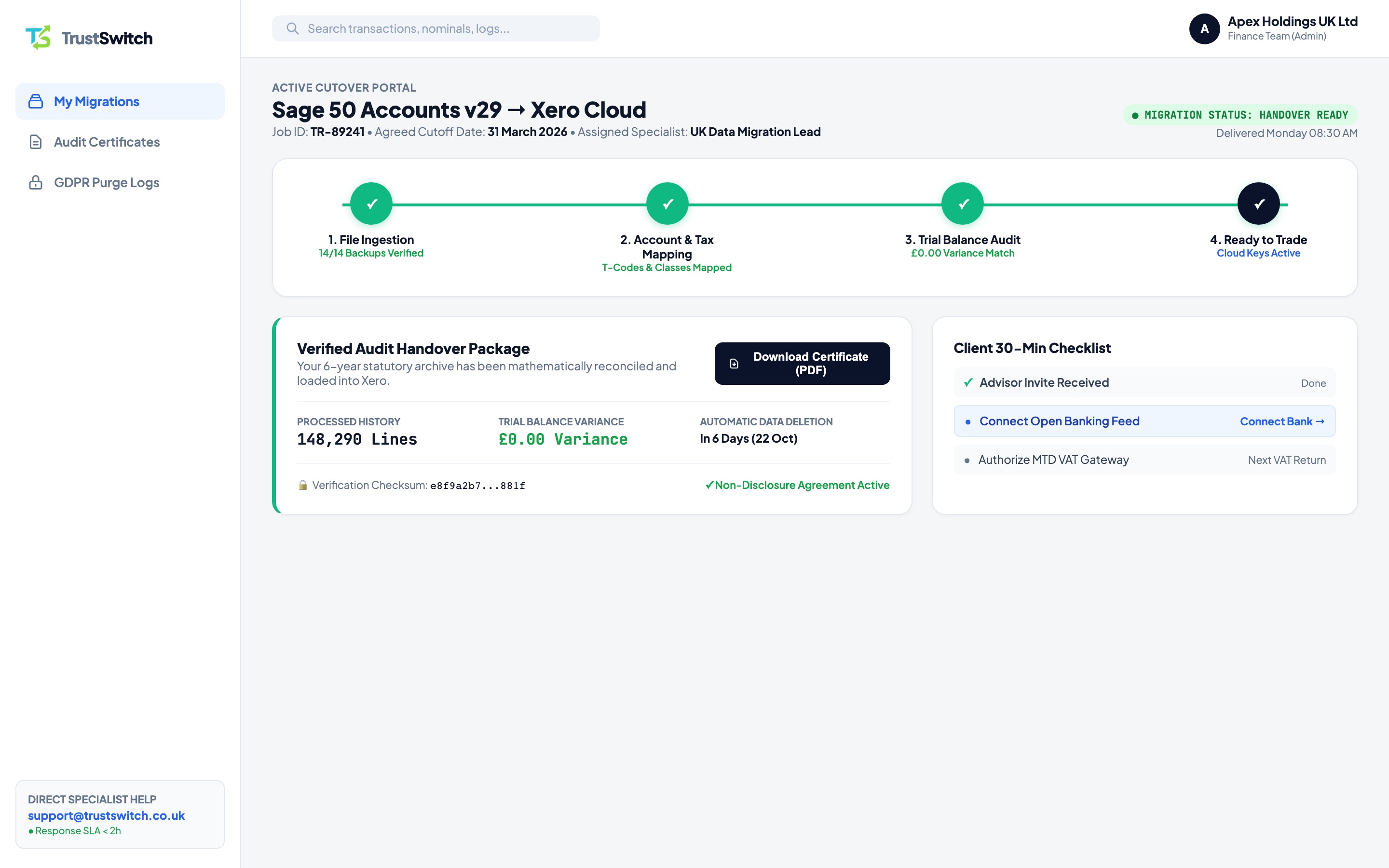
You receive your login confirmation and signed Reconciliation Audit Certificate. Your bank signatory spends 20–30 minutes completing the regulated Open Banking MFA steps[2] in our Bank Feed Migration Checklist, uploading your invoice logo, and inviting colleagues. Live trading continues without a single lost billing hour.
Frequently Asked Questions
Can my sales team still raise quotes or orders over the migration weekend?
Do we need a month of "parallel running" in both systems?
Does a 10-year ledger take weeks longer than a 2-year ledger?
How long do we have to check the numbers with our accountant after handover?
Reserve Your Friday 5 PM → Monday 8:30 AM Cutover Slot
Finish Friday in QuickBooks Desktop or Sage 50. Log into a fully reconciled Xero or QuickBooks Online ledger on Monday morning.