What Data Does NOT Migrate from QuickBooks Desktop to Online? (UK Audit List)
When moving from QuickBooks Desktop (QBD) to QuickBooks Online (QBO) using Intuit’s native converter, core double-entry transactions transfer if your file is under 350,000 targets, but 10 critical elements: including historical bank reconciliation reports, file attachments, sales orders, custom invoice templates, memorised reports, and live bank feeds: do not convert automatically.
In this guide (8 sections)
Key Takeaways
Quick Summary- Reconciliation PDFs drop
- Cleared statuses carry across, but historical month-end Bank Reconciliation Summary PDFs do not: always export them into your Golden Copy pack before switching.
- Sales Orders have no QBO object
- QuickBooks Online does not have a native Sales Order ledger object; open sales orders must be converted to Estimates or Invoices prior to cutover.
- Multi-currency rounding risk
- Historical FX bills and invoices can re-evaluate at slightly different decimal rounding in QBO, throwing off historical Trial Balances without specialist adjustment.
- Payroll YTD journals
- Historical Desktop payslips convert as plain accounting entries rather than active employee YTD tax records: plan payroll transitions on a clean UK tax month (6th of the month).
- Custom branding & feeds
- Custom DOCX/layout invoice templates and PSD2 Open Banking connections always require a 30-minute post-handover setup in QBO.
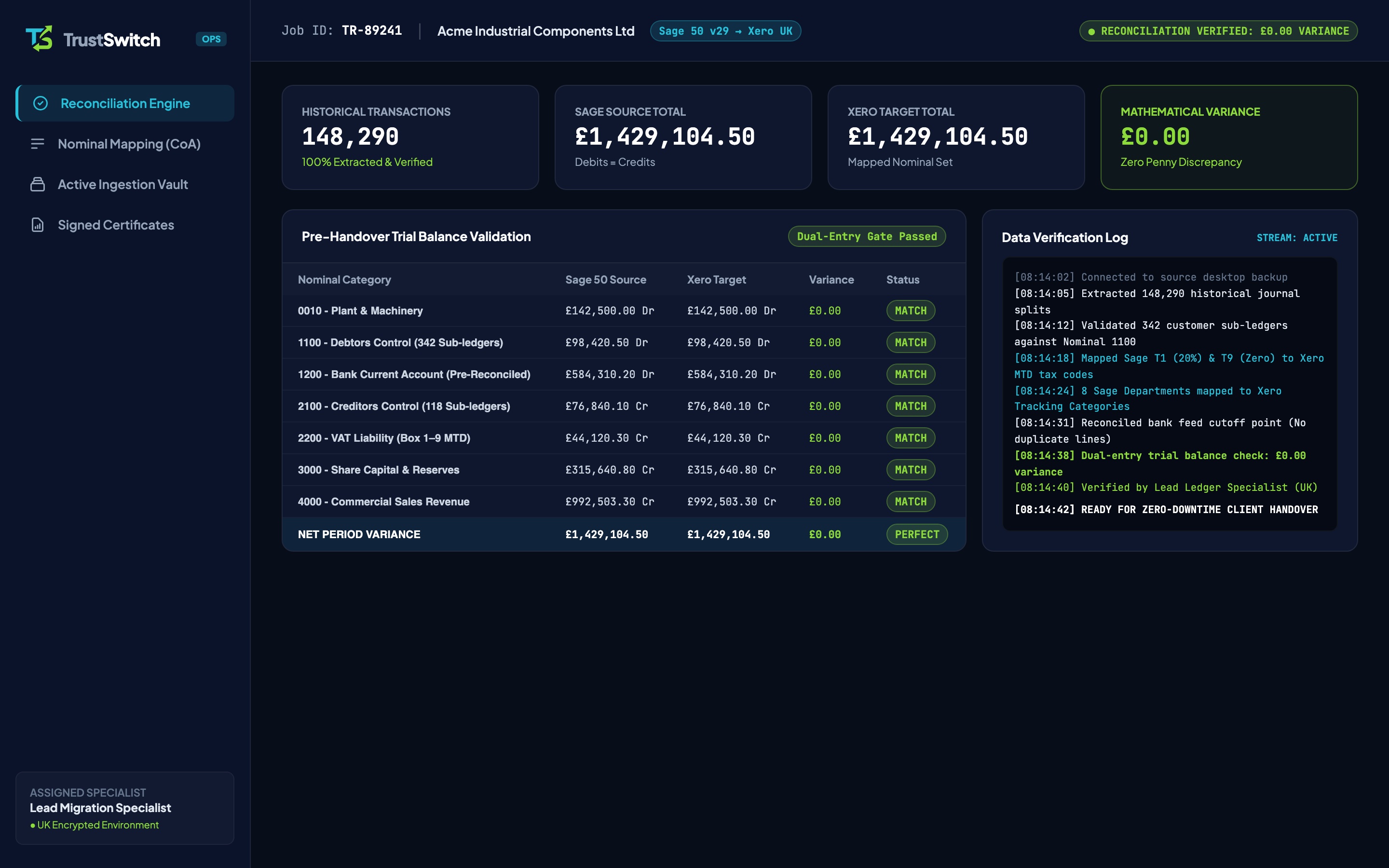
Why QuickBooks Online Is Not a 1-to-1 Clone of QuickBooks Desktop
QuickBooks Online (QBO) is built on a completely separate cloud database architecture from legacy QuickBooks Desktop (QBD)[1]. Even when your company file sits below Intuit’s 350,000-target ceiling and completes an export without crashing (see Fixing QBD to QBO Conversion Errors), several desktop data objects have no equivalent inside QBO or drop silently during unassisted transfers.
Understanding what converts automatically, what requires specialist ledger mapping, and what must be archived in your offline Golden Copy backup prevents unpleasant surprises during your first HMRC VAT return or year-end statutory audit.
Complete Matrix: What Transfers vs What Drops
| Data Element in QuickBooks Desktop | Native Intuit Tool Behaviour | TrustSwitch Verified Migration Behaviour |
|---|---|---|
| Chart of Accounts & Sub-Accounts | Transfers up to 5 sub-account levels; detail types often default generically | Mapped cleanly with verified QBO Account & Detail Types (see CoA Mapping Guide) |
| Historical Invoices, Bills & Credits | Drops or requires destructive Condense Data above 350,000 targets | 100% of itemised multi-year invoices, bills & allocations migrated with zero condensing |
| Historical Bank Reconciliation PDFs | Does NOT migrate (transactions mark as R cleared, but past PDF reports drop) | Cleared status + £0.00 closing bank balance verified; export past PDF summaries to Golden Copy |
| Sales Orders | Does NOT migrate (QBO has no Sales Order transaction type) | Open Sales Orders flagged in pre-flight so you convert to Estimates or Invoices cleanly |
Local File Attachments (Attach folder) | Dropped by desktop exporter | Export local Attach directory into your company’s 6-year Golden Copy archive |
| Custom Invoice & Statement Layouts | Does NOT migrate (different PDF layout engine) | Part of the 30-minute post-handover setup inside QBO Custom Form Styles |
| Memorised Reports & Budgets | Memorised report layouts and multi-year budgets drop | Underlying Class/Location tags preserved so QBO reports rebuild in minutes |
| Multi-Currency Historical Rounding | FX exchange recalculations frequently cause small GBP Trial Balance drift | Home-currency GBP equivalents locked and reconciled to £0.00 variance |
| UK PAYE / Payroll History | Historical payslips arrive as accounting entries, not live RTI tax cards | Accounting journals reconciled; start active QBO Payroll cleanly on the 6th of a tax month |
| Live Bank Feeds (Open Banking) | Cannot transfer OAuth tokens across platforms[3] | Re-authenticated by mandate holder in ~15 mins post-handover (see Bank Feed Checklist) |
Four Critical Items Every UK Finance Team Must Protect Before Switching
1. Historical Bank Reconciliation Summary Reports
Inside QuickBooks Online, migrated historical bank transactions carry a reconciled (R) marker, which keeps your opening bank balance accurate. However, the month-by-month Previous Reconciliation Discrepancy & Summary PDFs generated inside QuickBooks Desktop do not copy across[1]. Before retiring your desktop machine, export your last 6 years of month-end Bank Reconciliation PDFs to satisfy HMRC VAT and statutory audit enquiries[2].
2. Open Sales Orders & Stock Assemblies
QuickBooks Desktop Premier and Wholesale/Manufacturing editions rely heavily on Sales Orders and Inventory Assemblies. Because QuickBooks Online uses Estimates and Purchase Orders without a middle Sales Order ledger state, any unfulfilled open Sales Orders at cutover must be exported to a status list or converted into Estimates prior to taking your Friday 17:00 GMT backup.
3. Multi-Currency & UK VAT Control Account Drift
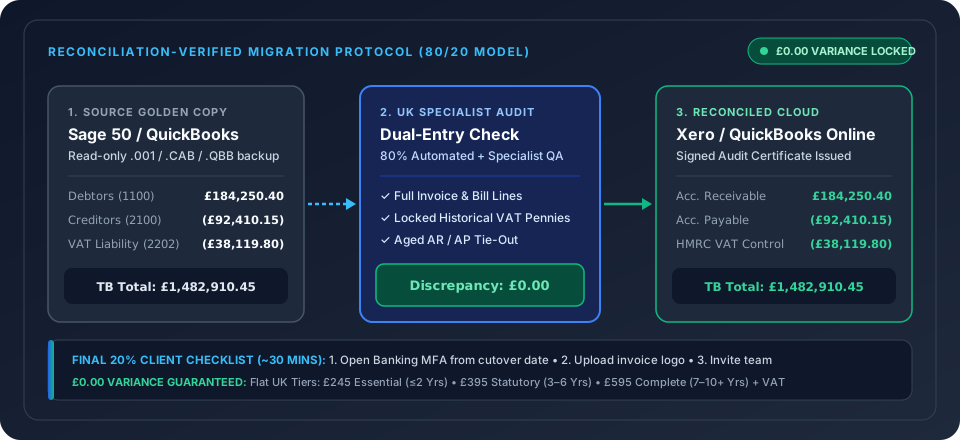
If your company invoices or pays overseas suppliers in USD or EUR, QuickBooks Online’s cloud FX engine can round historical home-currency conversions by fractions of a penny differently from Desktop. Over several years of trading, those penny differences break your opening Retained Earnings and VAT Control Account. At TrustSwitch, our UK specialist locks historical GBP values so your closing QBD Trial Balance and opening QBO Trial Balance match to £0.00.
4. UK Payroll Cutover Timing
Never attempt to migrate mid-pay-run. While historical wage and HMRC PAYE/NIC liability journals migrate cleanly as part of your general ledger, live UK RTI employee tax codes and P11 year-to-date tables should transition cleanly either on 6 April (start of the UK tax year) or immediately after submitting an FPS/EPS at month-end using P11 YTD starter figures.
Pre-Export Safety Checklist
Before turning off QuickBooks Desktop, save these five benchmark PDFs alongside your .QBB file (see How to Export Your Chart of Accounts from QBD):
- Trial Balance (Accrual basis, all dates up to cutover date)
- Balance Sheet & Profit and Loss (Standard + prior-year comparative)
- Aged Debtors Detail & Aged Creditors Detail as of cutover date
- VAT 100 Liability & Exception Reports for the last 4 quarters
- Bank Reconciliation Summary PDFs for every active bank and credit card account
Want a zero-downtime transition where every penny of your historical ledger is checked before Monday morning? Explore our managed QuickBooks Desktop to QuickBooks Online route or review our Weekend Migration Timeline.
Frequently Asked Questions
Do unpaid customer invoices and supplier bills migrate properly?
What happens to attachments saved inside QuickBooks Desktop?
Will my historical VAT returns change in QuickBooks Online?
Should I switch mid-payroll year in the UK?
Protect Every Penny of Your Historical Trial Balance
Don’t find out three months later that multi-currency rounding or dropped credit notes broke your opening balances. Get a specialist-verified QBD to QBO handover.